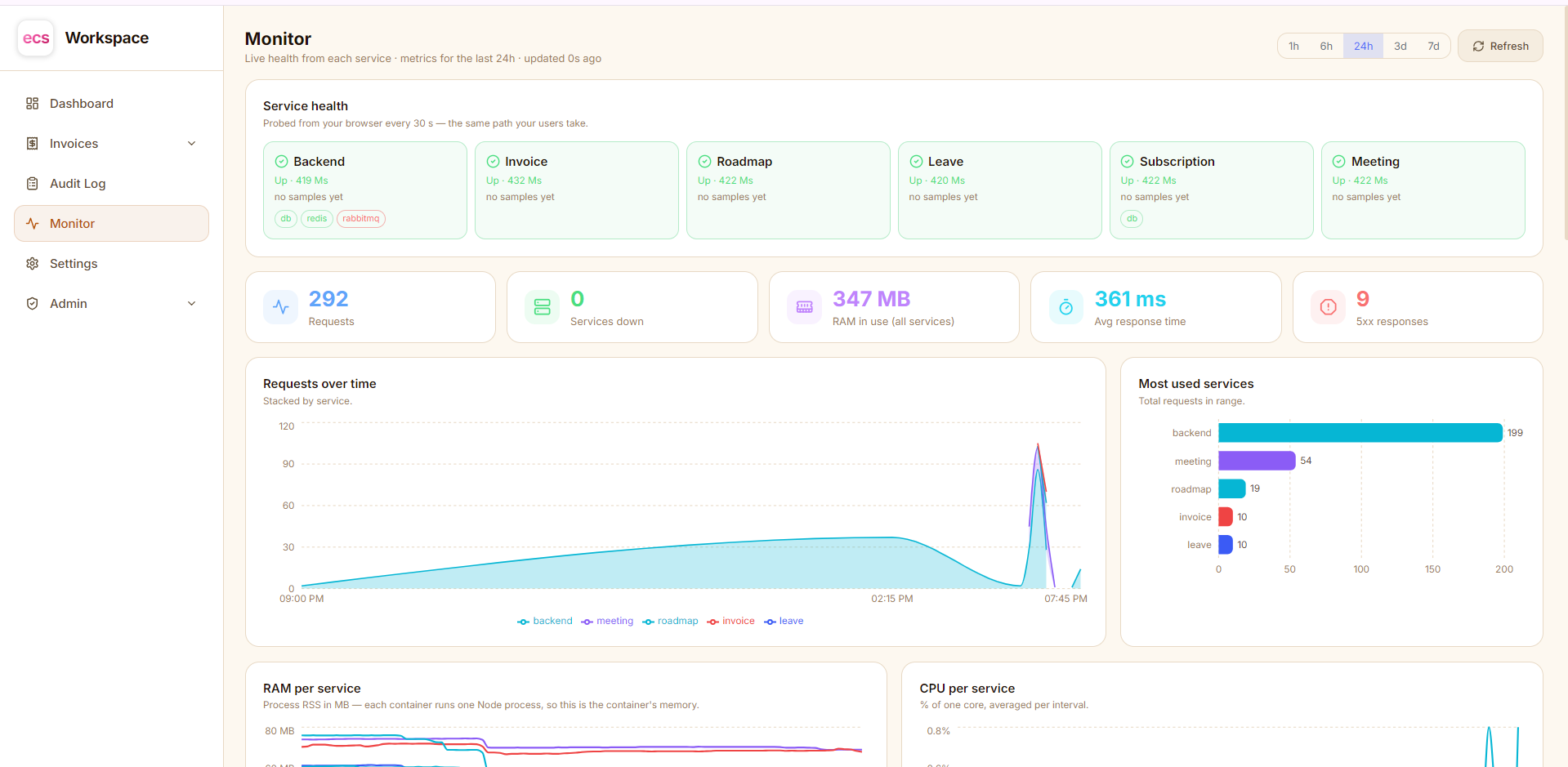
Think about where your team's work actually lives right now.
The client passwords are in a spreadsheet somebody shared two years ago. The invoices are in one app, the leave requests in an email thread, the meeting links in a chat message that has already scrolled away. The list of vendors is in a document nobody can find. Every tool has its own login, its own bill, and its own idea of who is allowed to see what.
That is the problem ECS Workspace was built to solve.
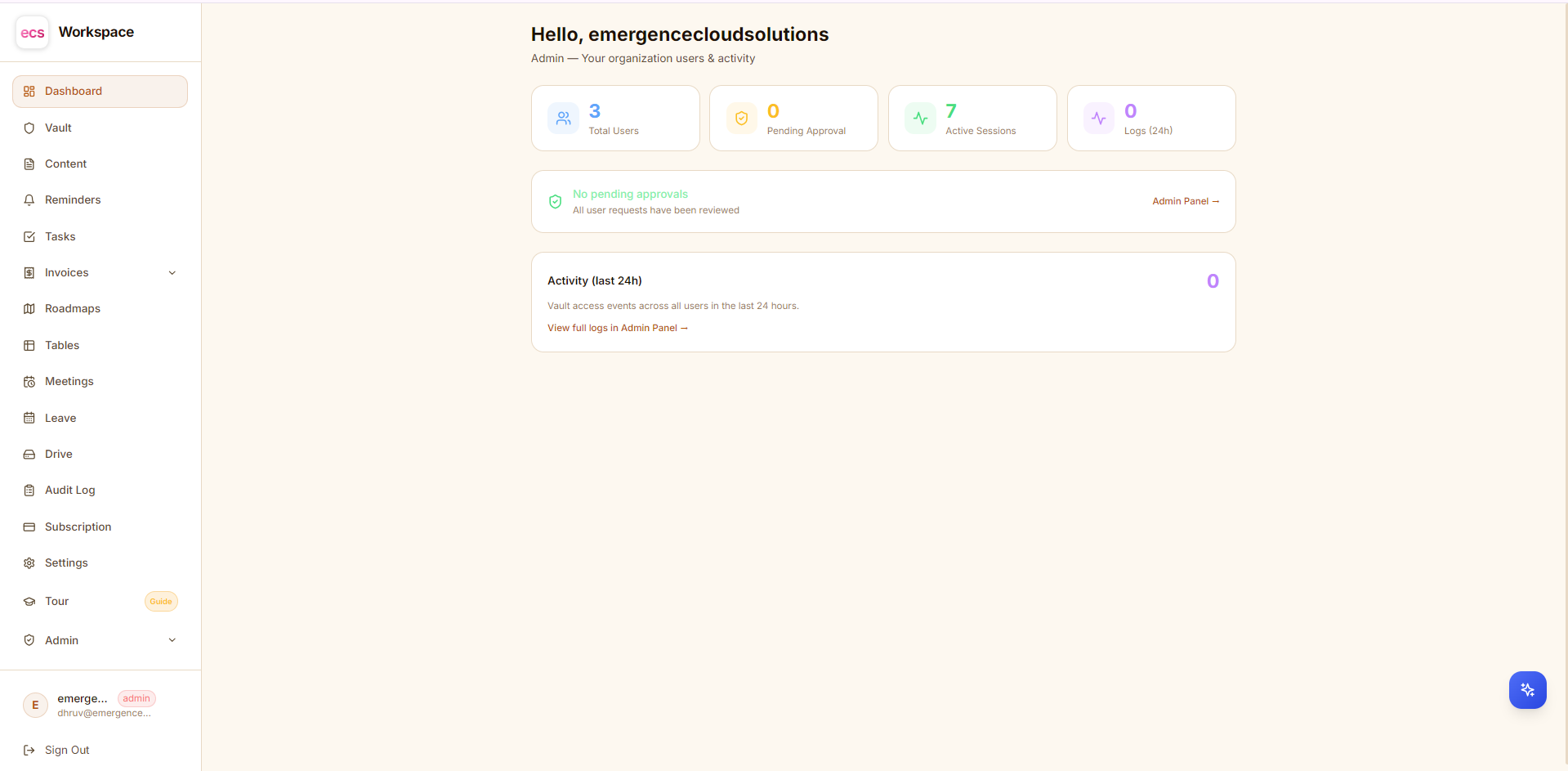
ECS Workspace is one app where your team keeps everything it works with every day — passwords, notes, tasks, reminders, records, meetings, invoices, leave and plans. One login opens all of it. One place to add a person, and one place to remove them.
What you get, in one line each
| You get | What it does for your team |
|---|---|
| Vault | A password manager for the whole team — safe to share, impossible for anyone else to read |
| Notes | Private notes and snippets, always with you |
| Reminders | Nothing is forgotten — alerts arrive in your browser |
| Tasks | A simple to-do list with priorities |
| Records | Your own lists, with your own columns — the spreadsheet replacement |
| Meetings | A calendar that puts the invite straight into Google, Outlook or Zoho |
| Invoices | Professional invoices, your own design, ready as a PDF |
| Leave | Requests, balances and approvals, without a single email |
| Plans | Roadmaps your team can see and move together |
| Files | Your Google Drive files, right inside the workspace |
| AI Assistant | Type what you want in plain language and it gets done |
Every one of these is switched on or off per person. A new designer sees notes, tasks and meetings. Your accounts person sees invoices. Only the people you choose ever see the passwords.
Your passwords, finally in one safe place
Most teams have one of two problems: either everyone shares one login because it is easier, or the passwords are scattered so widely that nobody knows who still has access to what.
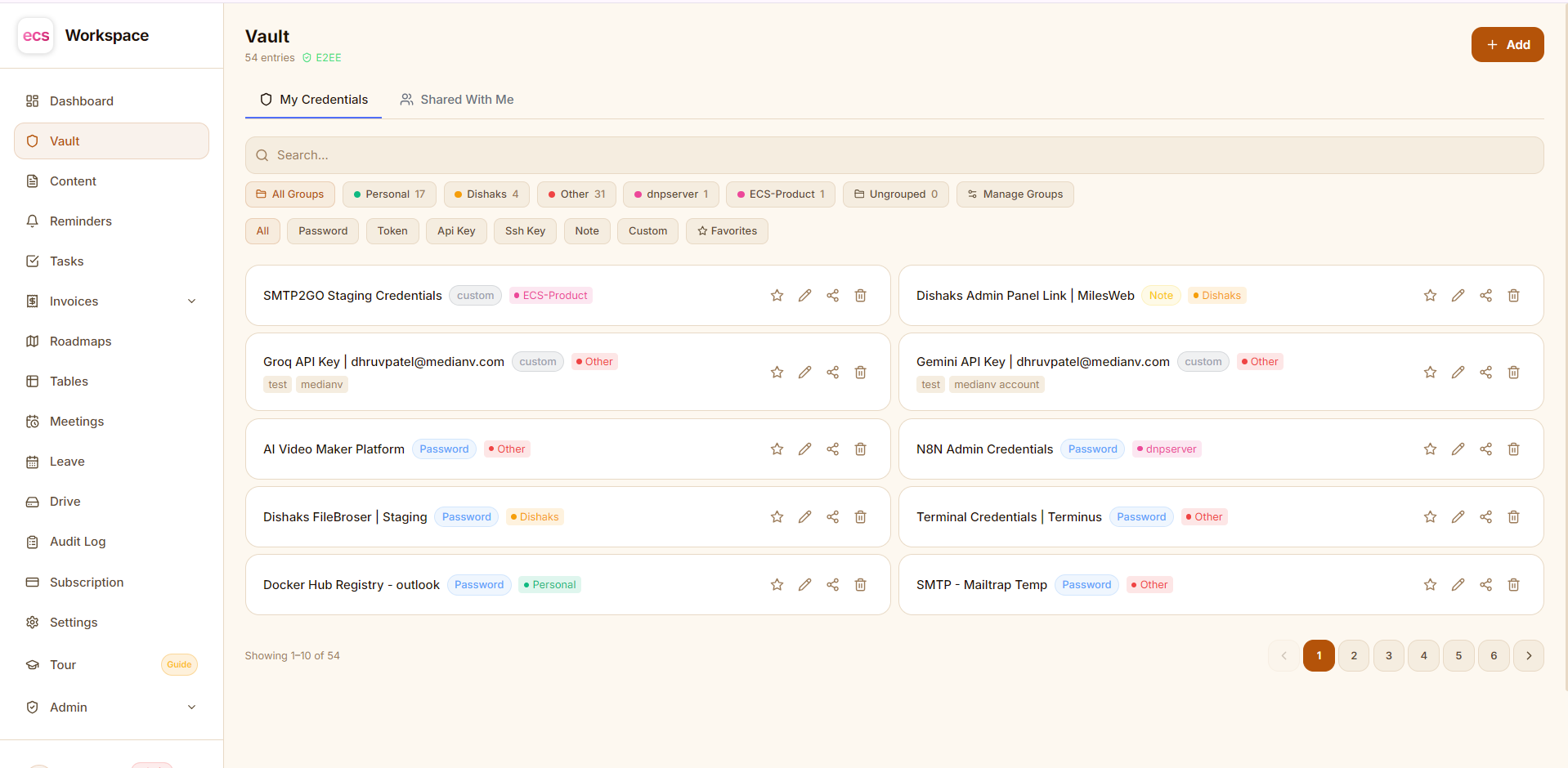
The Vault fixes both. Every password, API key, licence key and secure note lives in one organized place, with groups, tags, favorites and instant search. Share an entry with a colleague in two clicks — and take it back just as fast when they move on.
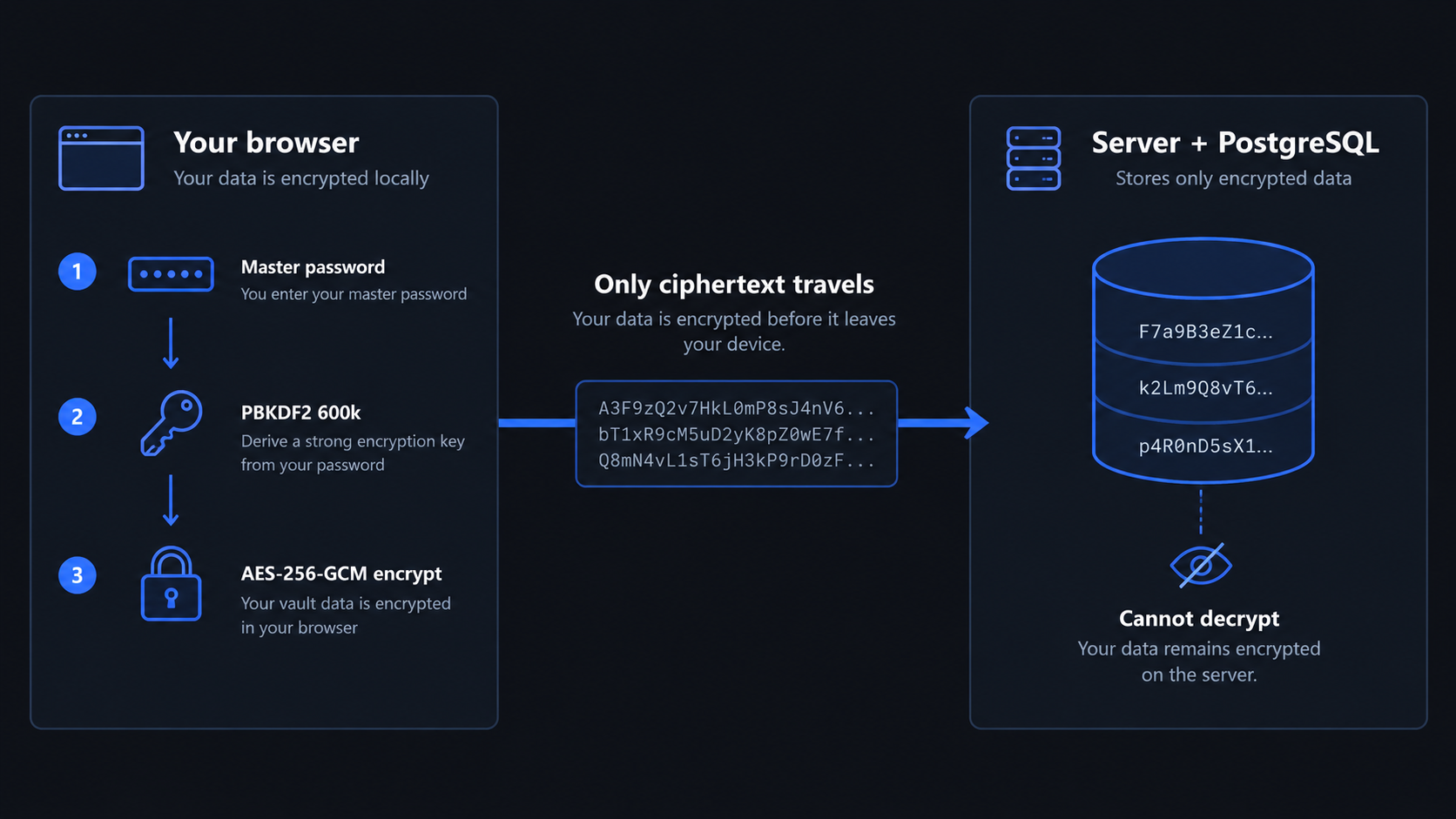
Here is the part that matters: your passwords are locked before they ever leave your screen. They are scrambled inside your own browser using a key made from your master password — a password we never receive and never store. What reaches the workspace is unreadable text.
That means nobody can read your team's passwords. Not another customer. Not someone who steals a copy of the database. Not us. There is no master switch that opens your vault, because the key that opens it only exists on your side.
When you share an entry, it is re-locked especially for that one person before it leaves your browser. And every single time somebody opens, copies or changes an entry, it is written to a log you can review.
Records — the spreadsheet you have been misusing
Every team keeps lists that do not fit anywhere: client portal links, vendor contacts, domain renewals, subscriptions, equipment. They usually end up in a spreadsheet that one person maintains and nobody else understands.
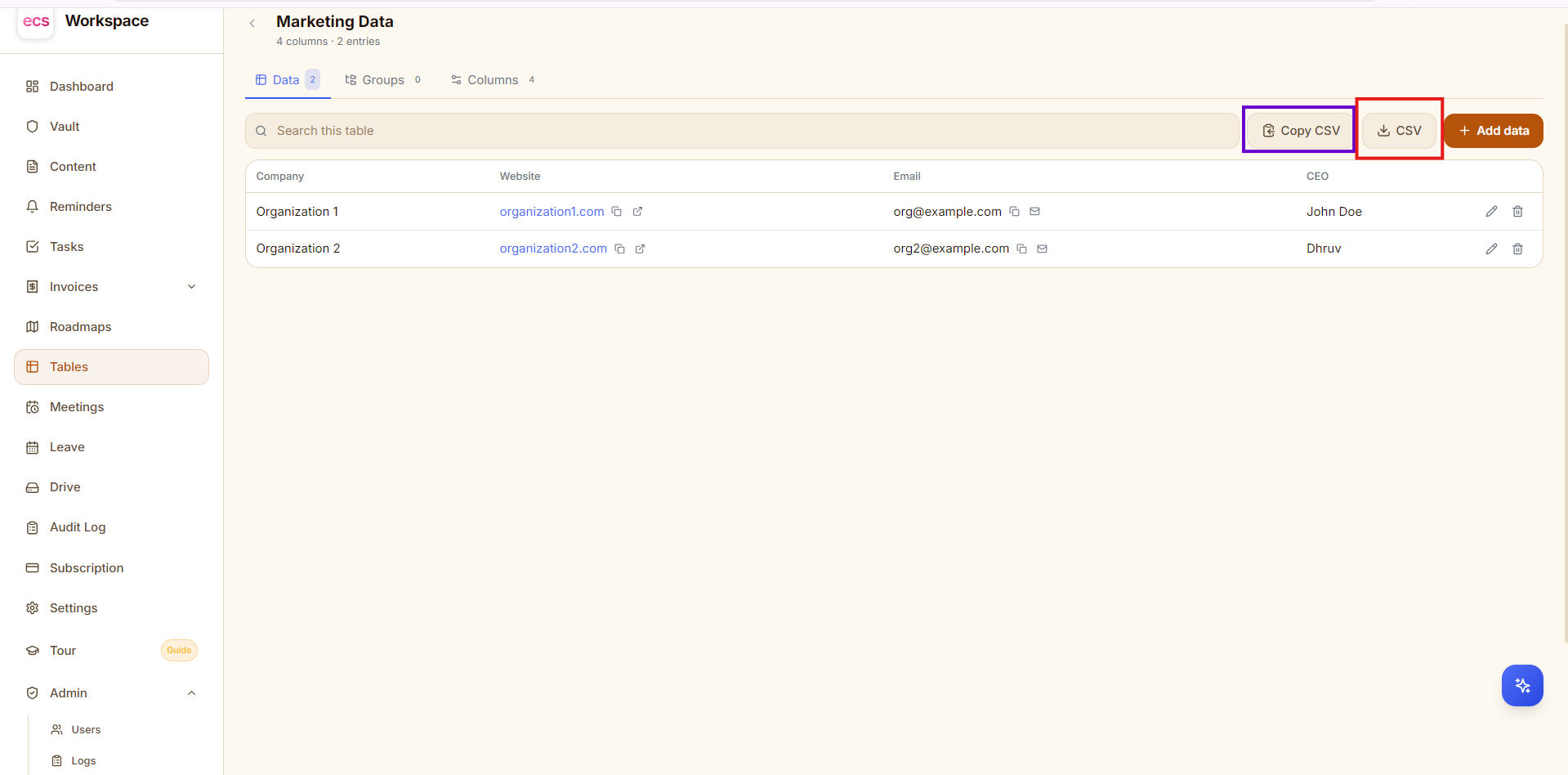
Records lets each person build their own list, with their own columns. Choose from text, long text, link, email, phone, number, date, dropdown and tick-box — and the column type does real work for you. A link column opens and copies with one tap. An email column composes a mail. A phone column dials.
- Start from a template — Links, Companies, Contacts or Subscriptions — or from blank.
- Group inside one list, so "Resource Links" can hold both Personal and Business without becoming two lists. Delete a group and the entries stay; they simply move to Ungrouped.
- Export to CSV or copy straight into Excel, and it exports exactly what is on your screen — filter first, and only those rows come out.
- It is encrypted too, including the column names and the name of the list itself. "Client bank portals" tells a story on its own, so we do not leave it readable either.
Meetings that actually land in your calendar
Schedule a meeting by clicking the day or the hour. Add the join link — Zoho Meeting, Google Meet, Zoom, Teams, anything you already use — plus attendees, a colour and how long before you want reminding.
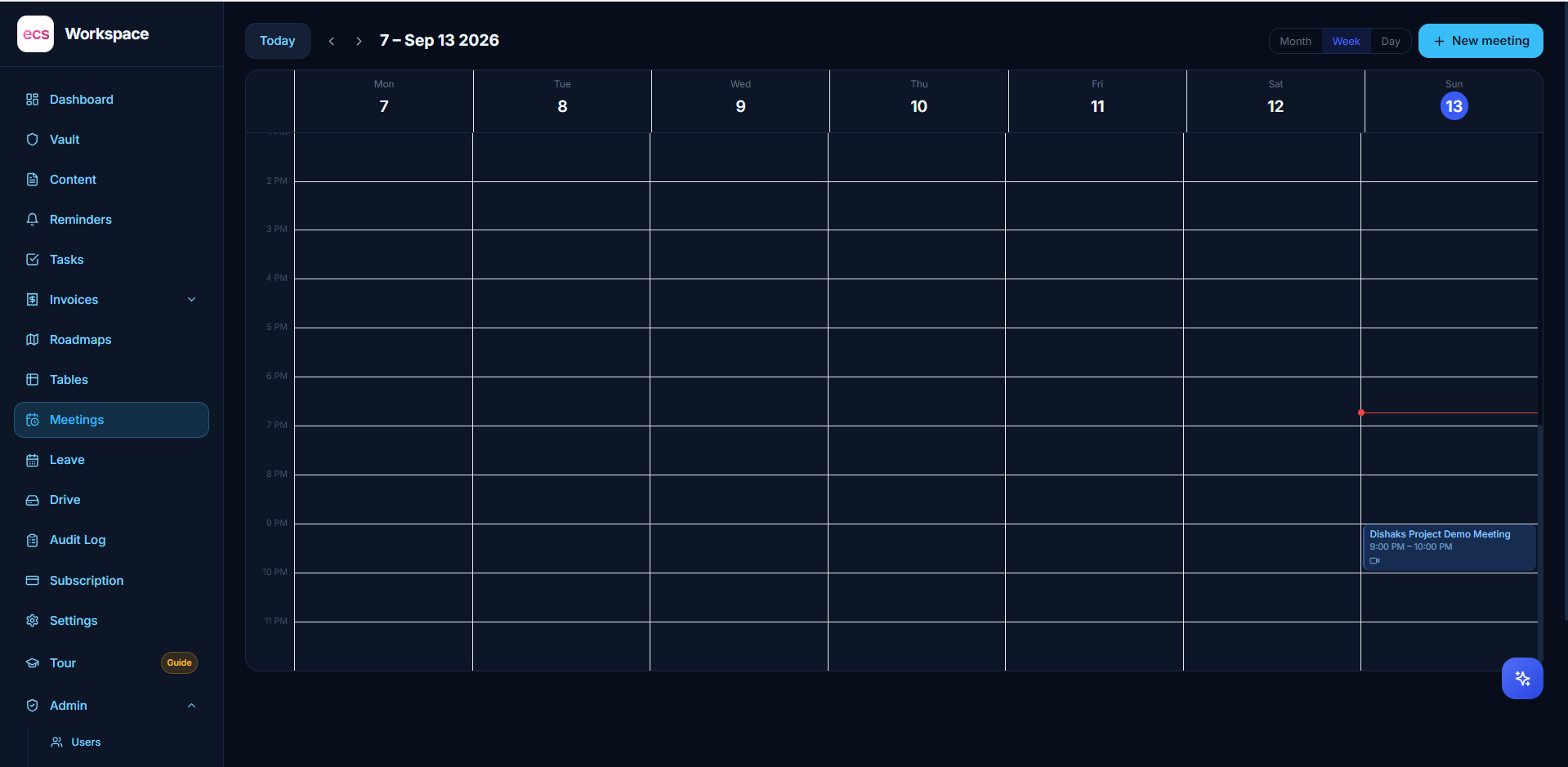
Then the useful bit happens. The invite is emailed to you and to your attendees as a proper calendar invite, so Google Calendar, Outlook and Zoho Mail add it automatically and fire their own reminder — on the phone in your pocket, not only in a tab you might have closed. Change the time and their calendar updates itself. Cancel it and it disappears from theirs too.
You also get a backup reminder email from the workspace, and a browser alert if you have it open. Three separate ways for the meeting to reach you, because a missed client call is expensive.
Meeting titles, links, locations and attendee lists are encrypted, because a join link often carries the passcode with it.
Invoices that look like your business
Set up your business profile once — logo, GST and PAN, bank details, anything else you need on the page. Add your clients and your tax rates, and the numbering takes care of itself.
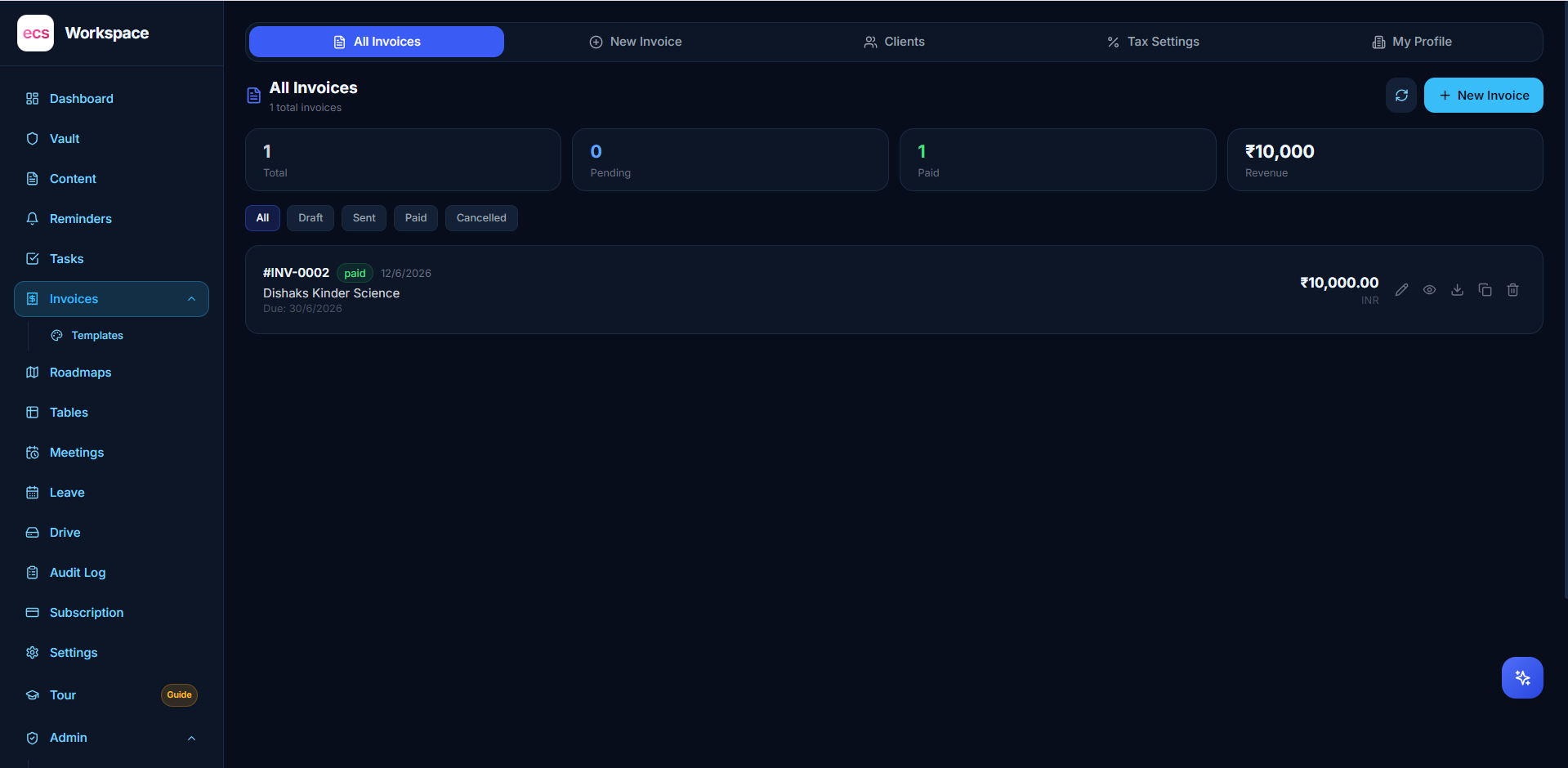
Then pick a ready-made template or build your own by dragging the blocks where you want them — header, addresses, item table, bank details, notes, signature. What you see is what your client receives, as a clean PDF, every time.
Leave without the email thread
Set up your own leave types and yearly balances. Staff apply in the app and can see exactly how many days they have left. HR and management get a dashboard with everything pending, and approve or reject in one click.
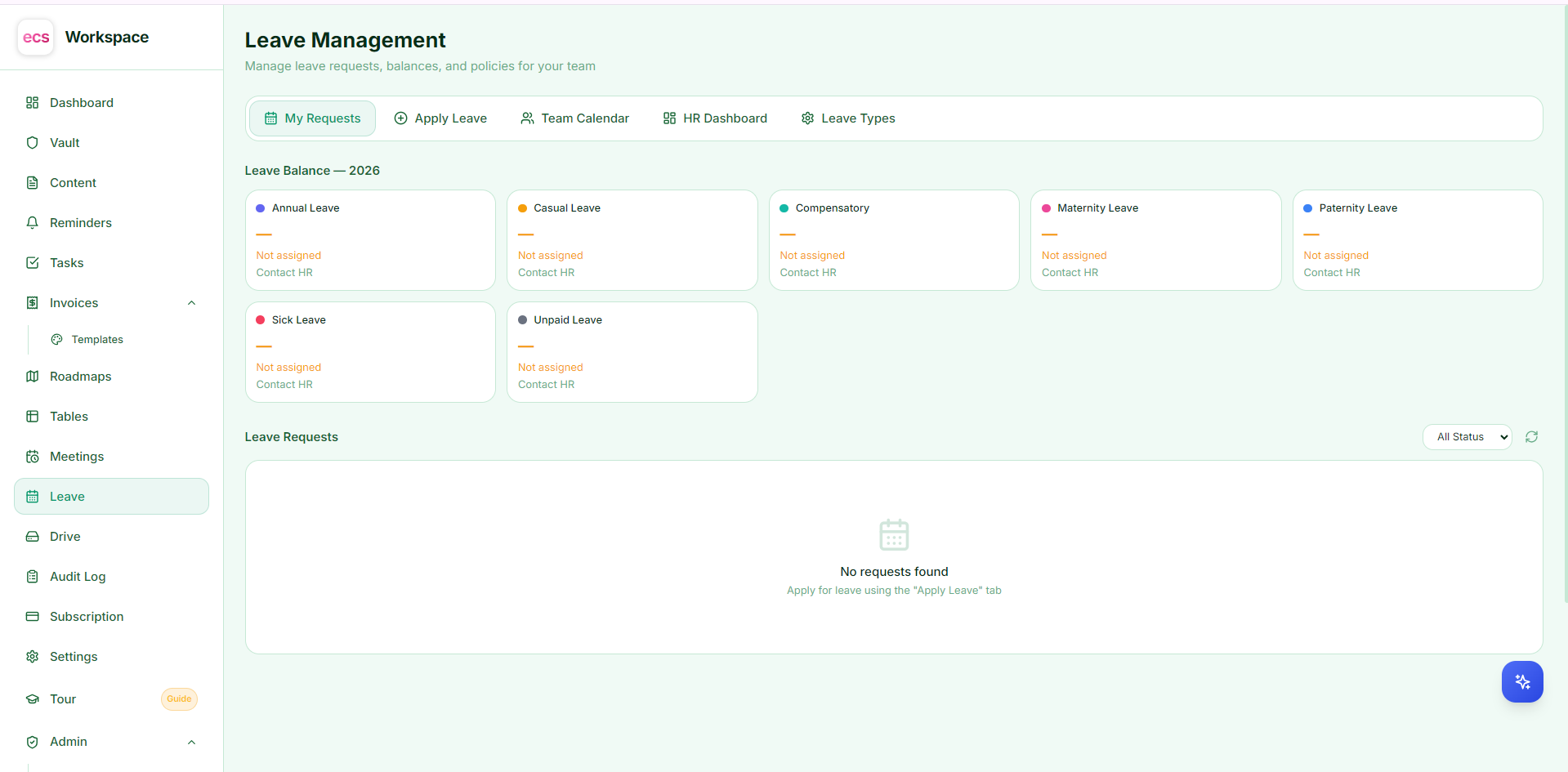
No more "did you get my leave mail?" and no more spreadsheet of who took what.
Reminders, tasks and notes
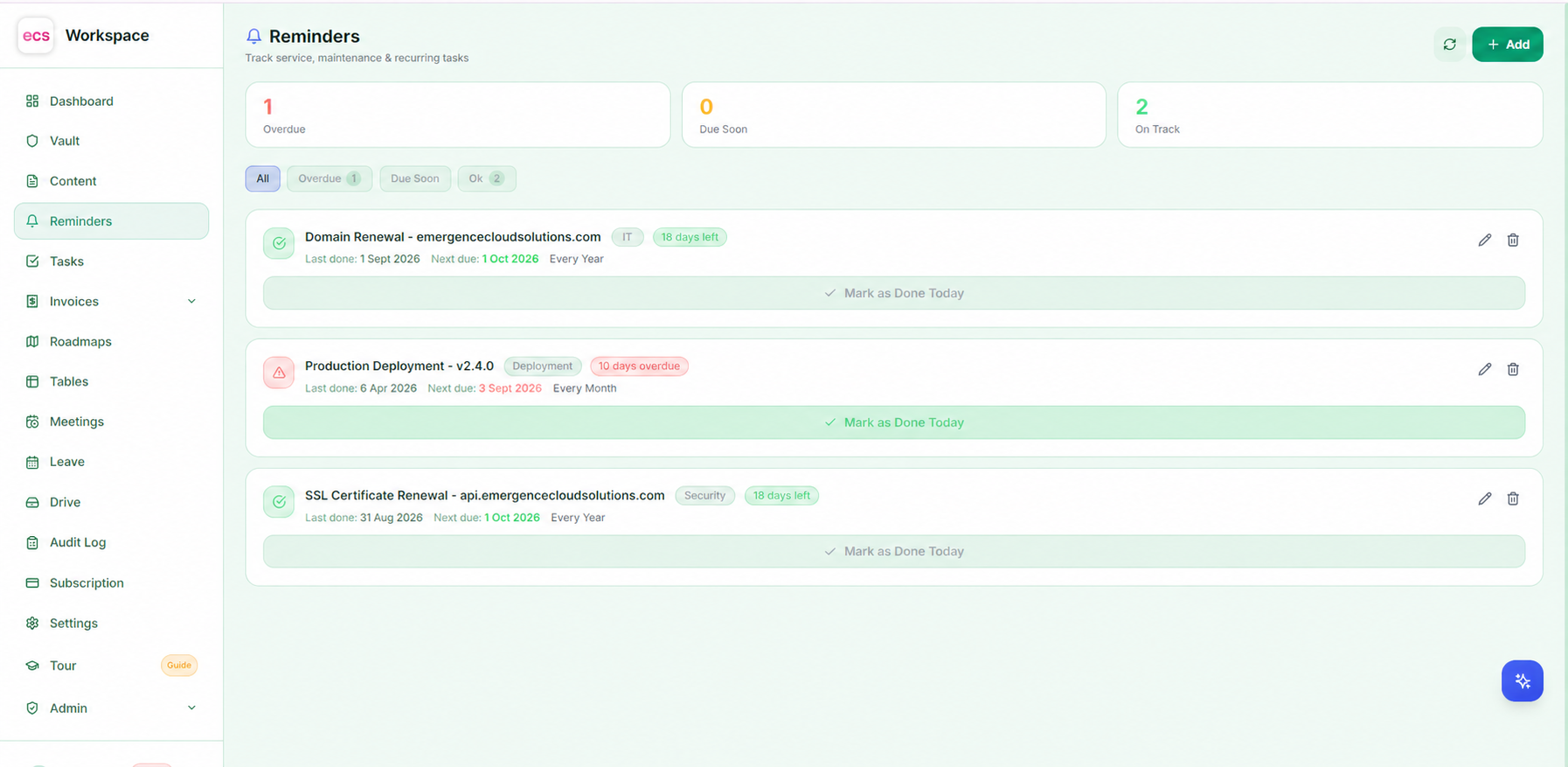
The small things that hold a day together. Reminders with real times that push an alert to your browser when they fall due. Tasks with priorities. Private notes and code snippets, searchable by type, language or tag — and encrypted, like everything else.
Plans your team can see
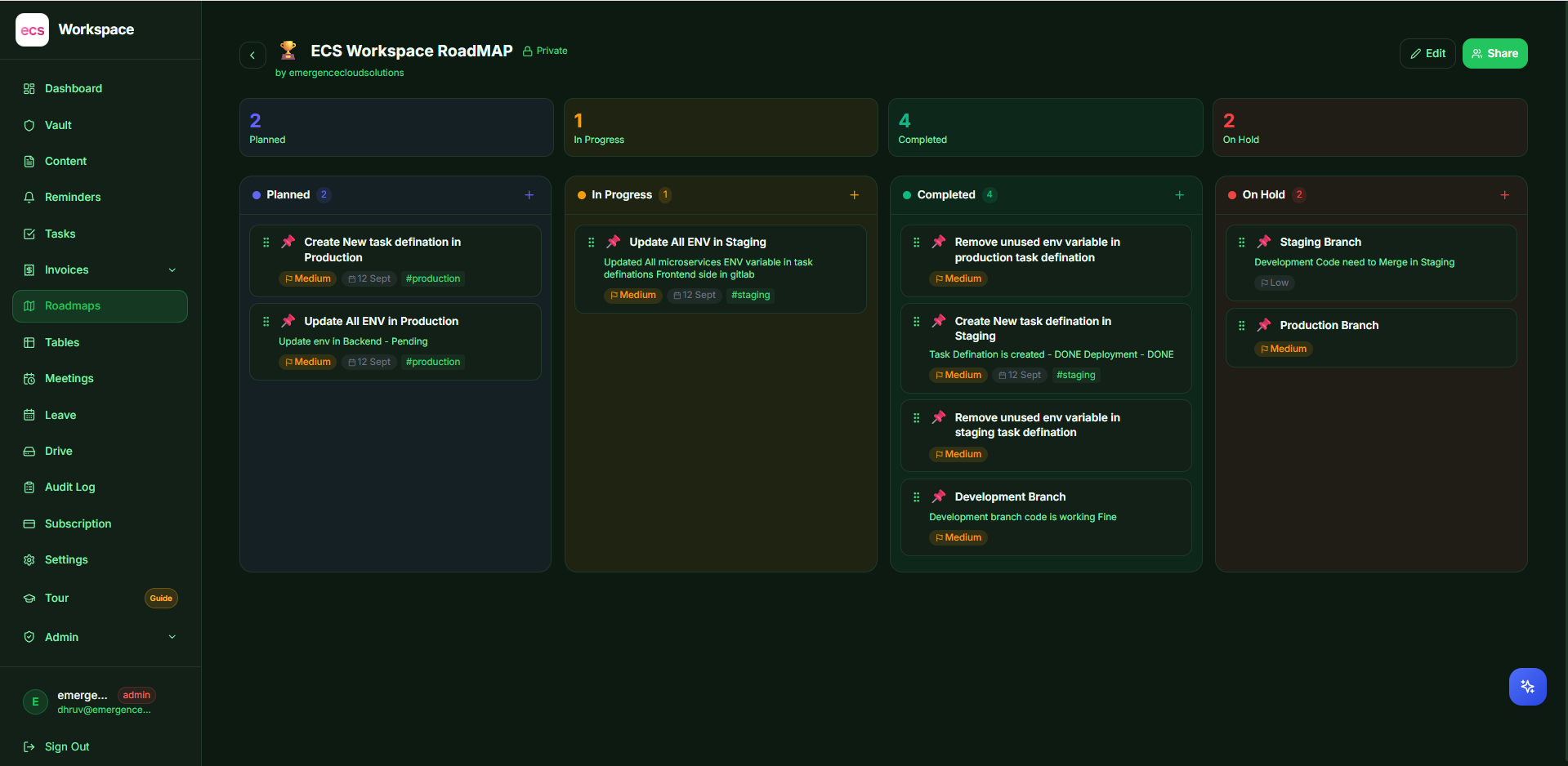
Roadmaps with items, statuses and ordering, so everyone knows what is being worked on and what is next. Everything on a roadmap is encrypted and visible only to your own organization.
An assistant that does the work, not just the talking
Describe what you want in plain language and the workspace does it.
"Remind me to renew the SSL on the 14th." "Add the five biggest suppliers to my Vendors list." "Draft a roadmap for the website revamp." It understands casual Hinglish too — "kal 3 baje client call add karo" works exactly as you would expect.
| Where you are | What it does | Saves it for you? |
|---|---|---|
| Reminders | Creates the reminder from your sentence | Yes |
| Tasks | Creates the tasks | Yes |
| Records | Adds entries, groups or columns | Yes |
| Meetings | Schedules the meeting and sends the invite | Yes |
| Roadmap | Suggests cards, you accept the ones you want | No |
| Notes | Writes the text into your editor | No |
| Invoice design | Hands you a finished layout to adjust | No |
Notice the last column. Anything you can undo with one click is saved for you. Anything other people depend on — a shared roadmap, an invoice design, a date somebody is relying on — is shown to you first. That is a deliberate choice, not a limitation.
The assistant cannot reach your Vault. It holds no key to it, and it does not even appear on the Vault screen. Ask it for a password and it refuses before the request goes anywhere. Your credentials are simply not part of the conversation.
The assistant runs on your own provider account — Gemini, OpenAI, Claude, OpenRouter or Groq — so you stay in control of what it costs and which company sees your prompts. It is switched off until you turn it on.
Why you can trust it with your business
A workspace that holds your passwords, your clients and your invoices has to earn that. Here is how, in plain terms.
Your password is never sent anywhere. It is turned into an unreadable fingerprint inside your browser before login. Nobody at any point holds the password you typed.
Your vault is locked with a key we do not have. Vault entries are encrypted on your device with AES-256 — the same class of encryption banks and governments use. What is stored is scrambled text that cannot be opened without your master password.
Your other data is encrypted too. Records, meetings, notes and roadmaps are all encrypted where they are stored, so a stolen backup file is worthless to whoever takes it.
Two-factor authentication. Turn it on and a stolen password alone is not enough. Backup codes are included, and you can mark your own devices as trusted so you are not asked every time.
Sessions you control. See every device currently logged into your account and sign any of them out from anywhere. Change your password and every session everywhere ends immediately.
Attackers get very few tries. Repeated wrong passwords are blocked within minutes — by account, and by the machine attempting it, so a script does not get thousands of attempts.
People see only what you allow. Every module is a permission you grant per person. Invite links can carry a ready-made permission set, so a new joiner starts with exactly the right access and nothing more.
Everything important is written down. A full activity log records who viewed, copied, changed or shared what — so when a question comes up months later, there is an answer instead of a guess.
Every organization is sealed off from every other. Your team's data is only ever readable by your team. There is no shared view, and no back door.
Nothing runs as an afterthought. The workspace is kept updated, secrets are never written into the software itself, and problems are caught and reported the moment they happen rather than discovered by a customer.
Who it is for
- Agencies and IT teams who hold client credentials and need to share them safely — and revoke them instantly when a project ends.
- Small and growing companies who are paying for five separate tools that do not talk to each other.
- Founders and consultants who need invoicing, meetings and client records in one place instead of four.
- HR and operations teams who want leave, approvals and staff access handled without email threads.
What it replaces
| Instead of | You use |
|---|---|
| A shared passwords spreadsheet | Vault |
| Three separate spreadsheets of lists | Records |
| A separate invoicing subscription | Invoices |
| Leave over email and a tracker sheet | Leave |
| Meeting links pasted into chat | Meetings |
| Sticky notes and forgotten follow-ups | Reminders and Tasks |
One bill instead of five. One login instead of five. One place to switch a person off when they leave.
Common questions
Can anyone at your end read our passwords?
No. Vault entries are locked inside your browser with a key made from your master password, which we never receive. Even with full access to the storage, the contents cannot be opened.
Do we need a Google account?
No. The Google connection is optional and only exists so you can reach your Drive files inside the workspace. Signing in is a normal username and password, with two-factor if you want it.
Can we give different people different access?
Yes. Every module is granted per person, and permission groups let you apply a whole set at once through an invite link.
Does the AI cost extra?
You connect your own provider account, so you pay your provider directly and nothing more to us. It is off until you switch it on, and it never has access to your Vault.
Can we get our data out?
Yes. Records export to CSV and open straight in Excel, and invoices are downloadable PDFs.
How long does it take to get started?
Most teams are working inside it the same day. Invite your people, choose what each of them can see, and start moving the spreadsheets in.
Ready to see it?
ECS Workspace is one login for the whole workday — with passwords only your team can open, invoices that look like your business, meetings that reach everyone's calendar, and an assistant that never touches your credentials.
See the ECS Workspace product page, read more from our team on the blog, or talk to Emergence Cloud Solutions and we will walk you through it.